Production Tracking

Streamline Production. Improve Visibility. Deliver On Time.

Gain complete control over your production process with real-time tracking of jobs, materials, labour, and workflow progress across your business.

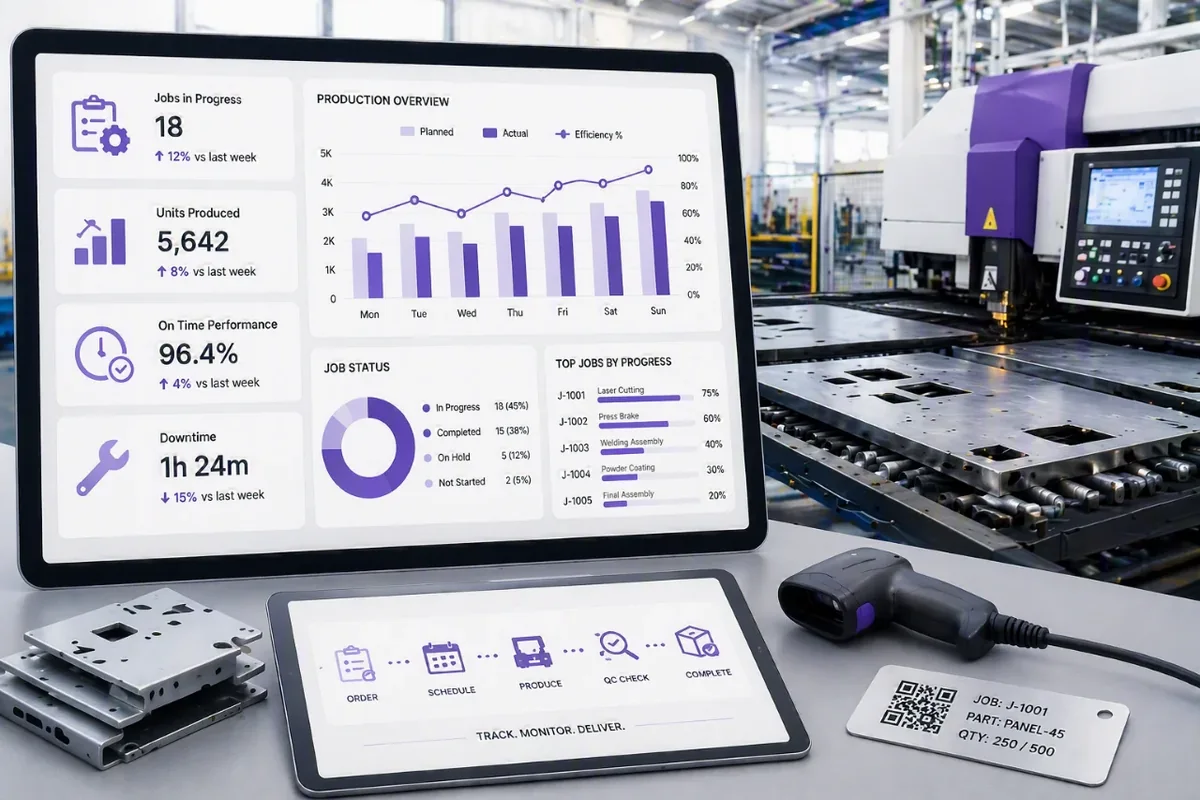
The Production Tracking Module provides real-time visibility and control throughout the manufacturing process, allowing businesses to monitor items from production commencement through to final completion. Acting as a centralised hub for production information, the module tracks the status, location, and progress of every item as it moves through the production workflow.

Using barcode technology, each item is assigned a unique identifier and scanned as it enters and exits production bays. This provides instant updates on production status, enabling managers to monitor workflow efficiency, identify bottlenecks, and ensure production targets are met. Real-time production data improves accountability, resource allocation, and operational planning across the factory floor.

The module also supports production scheduling and allows timeframes to be assigned to each stage of the manufacturing process. Automated notifications can alert supervisors to production delays, enabling prompt intervention to keep jobs on track. In addition, businesses can schedule quality control checks, capture photos, attach supporting documentation, and maintain a complete audit trail throughout the production cycle.

A companion mobile application for Android devices allows production staff to update job progress directly from the factory floor by simply scanning barcodes, ensuring information remains accurate and up to date at every stage of the process.

Who is it for?

Production Tracking is ideal for manufacturers, assemblers, food producers, fabricators, and businesses that need real-time visibility of production activities, materials, work in progress, and completed goods. It helps teams track jobs from start to finish while improving efficiency, accountability, and delivery performance

Benefits of Production Tracking:

:

Real-time visibility of jobs, work in progress, and production status

Track labour, materials, and machine usage throughout the production process

Monitor work in progress (WIP) across multiple stages and departments

Complete traceability of batches, serial numbers, and production history

Accurate job costing with captured labour, material, and overhead costs

Production scheduling and planning to improve workflow efficiency

Quality control tracking with inspections, checkpoints, and compliance records

Reduce production bottlenecks through live monitoring and reporting

Better resource allocation of staff, machinery, and production capacity

Detailed production reporting for operational insights and decision making

Integrated inventory consumption linked directly to production activities

Improved on-time delivery through greater production visibility and control

INVENTORY MANAGEMENT FEATURES EXPLAINED:

  • Inventory Items

    Label, monitor, track your stock movement from receiving and dispatching.

  • Inventory History

    Ensure complete and accurate stock movement on all inventory items

  • View Inventory

    Easily view the inventory item for specific information.

  • Barcode Scanner

    Using bar codes can ensure accuracy in inventory management by scanning the right product. Employees can scan an inventory item quickly and record outgoing and incoming logs.

  • Mobile Access

    Use Webatar smart mobile application to manage your inventory, scan barcodes, perform incoming and outgoing tasks from your phone or tablet.

  • Users

    Add as many users as your accounts require. Create a system that is as broad or as narrow as you require. Each user has a different level of access, ranging from simple viewer to full administrator. Our system is a practical solution for everyone in your company.

  • Attachments

    Have all images of inventory items ensuring you have a visual of the product that is sent out or received

  • Locations

    Assign locations for your inventory and view stock on hand in that location.

    Assign bin locations to find the product in the warehouse.

  • Reports

    View stock on hand quantities and value of stock with a click of a button.